Course: Facial Rigging now online!
- Article
- 4 March
- 5 min read
- 2 min watch time

Are you ready to learn facial rigging? Then you're in the right place! Rik Schutte has been working on this advanced course, spending months preparing, writing, and recording every step of the process. This course is available to Blender Studio subscribers and will provide you with the tools and knowledge needed to create appealing and intuitive facial rigs in Blender. Subscribe to Blender Studio, join NOW!
In order to use the latest functionality, Blender 5.0 or later is required to complete the course succesfully which can be downloaded for free here.
What is the course about?
This course is a video course. We are going over a step by step process on how we create a high quality facial rig in Blender, based on the setup used for Blender's character Storm. We'll be using different techniques for the facial deformation as well as Blender's native tools and free addons to accommodate this particular workflow. The course contains over 40 videos and additional files, scripts and addons to provide you with everything you need to follow along. Mind that this is an advanced rigging course that presumes that you already have a proper understanding of facial rigging and Blender in general. Facial rigging can be a daunting and tedious task. With the course I hope to make it a straight forward process that's standardized and can be a base to a variety of characters and styles.
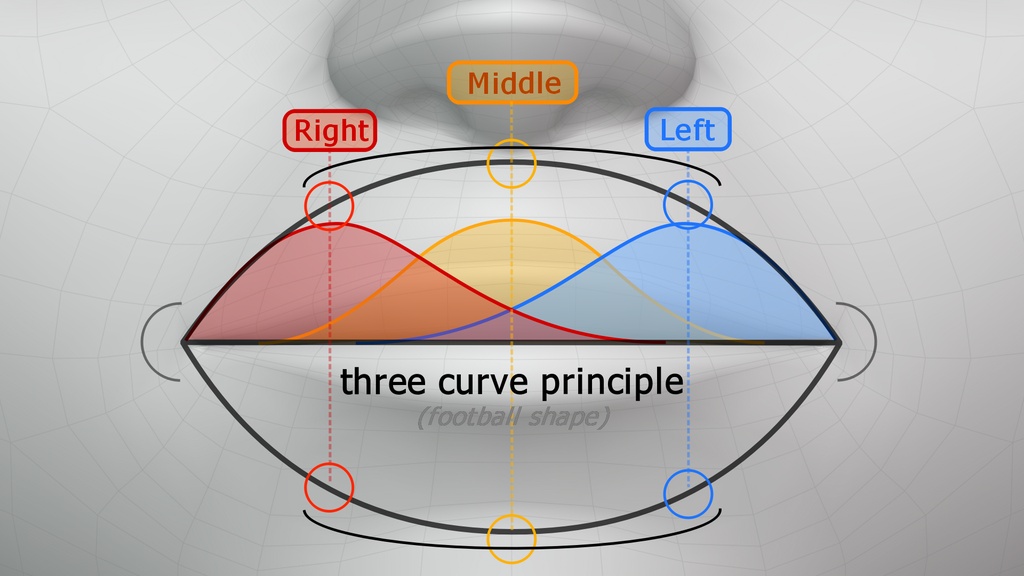
Deformation theory will be explained before diving into Blender.
Chapters
This course is divided into separate chapters divided into individual regions and aspects of the face, covering the following topics:
- Introduction
- Model preparation
- Initial bone setup
- Lips
- Eyes
- Brows
- Cheeks
- Teeth and tongue
- Mouthcorner shape keys
- Additional deformers
- Control widgets
This course is not about rigging automation as we make (almost) everything from scratch. In order to understand the workflow thoroughly, we need to follow each step to understand the concepts.
For who is this course recommended?
This is an advanced Blender course, which means it's assuming you know how to navigate Blender and are familiar with constraints, bone assignments and rigging in general. If you are familiar with rigging and want to expand your knowledge regarding facial rigging, this course is right up your alley. But even when you are an animator and want to have a peak under the hood, this course might be an interesting thing to see the decisions made in order to accommodate certain features for animators.
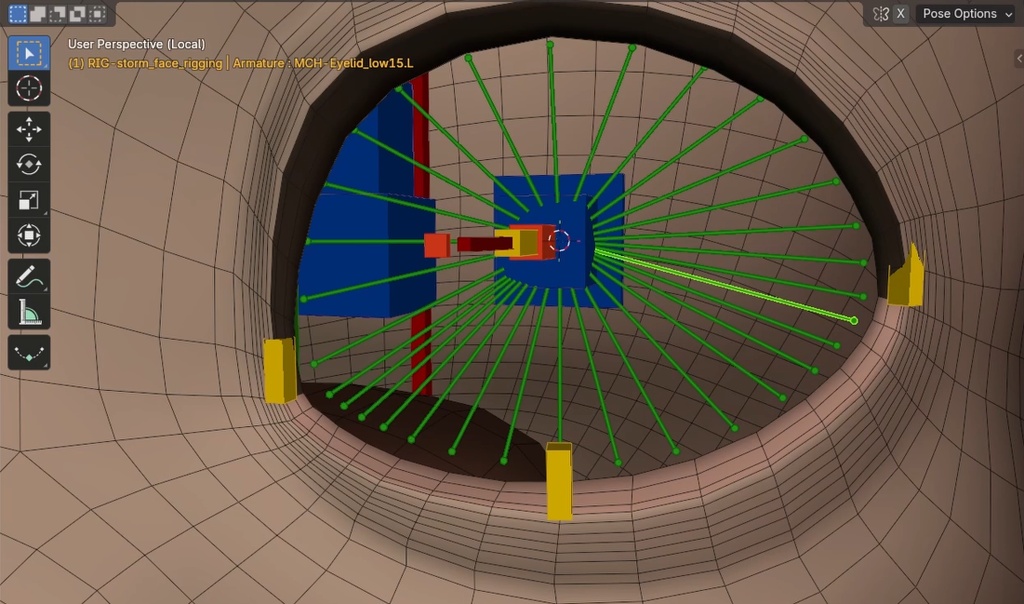
Bone setup created for eye lid deformation.
For who is this course not recommended?
If you just opened Blender for the first time and want to jump into character creation, I would recommend to check out the Blender fundamentals courses. These courses are covering the basics and are tailored for new Blender users.
References
The workflows and techniques used for Storm are inspired by facial rigs commonly seen in the animation industry. I wanted to create a facial rigging workflow that allows us to produce dynamic and appealing animations with characters capable of a wide range of expressions. The knowledge I have gained over the years comes from my experience as an animator working with high-end, film-quality character rigs, as well as from following facial rigging courses. I have also spoken with several riggers and animators in the animation industry to learn about their thoughts and principles for creating and using effective facial rigs. Many of the facial rigging principles and deformation concepts are explained thoroughly in the book The Art of Moving Points by Brian Tindall.
Ribbon Guides and Shape Keys
One method I used is the creation of Ribbon Guide Meshes to create smooth and predictable interpolation between neighboring bones while following the 'three curve principle' as explained in the book. Another method is by creating a series of shape keys to accommodate for the deformation of the brows and cheeks. This method uses that same 'three curve principle' but executed in a more traditional way. Even though I've implemented the brows like this on Storm, I would probably introduce the Ribbon Guide Mesh workflow for the brows as well in future versions to achieve more flexibility for the animator. Either way for the course I think it's useful to explain and demonstrate both workflows, since they are universally applied and are conceptually equally strong.
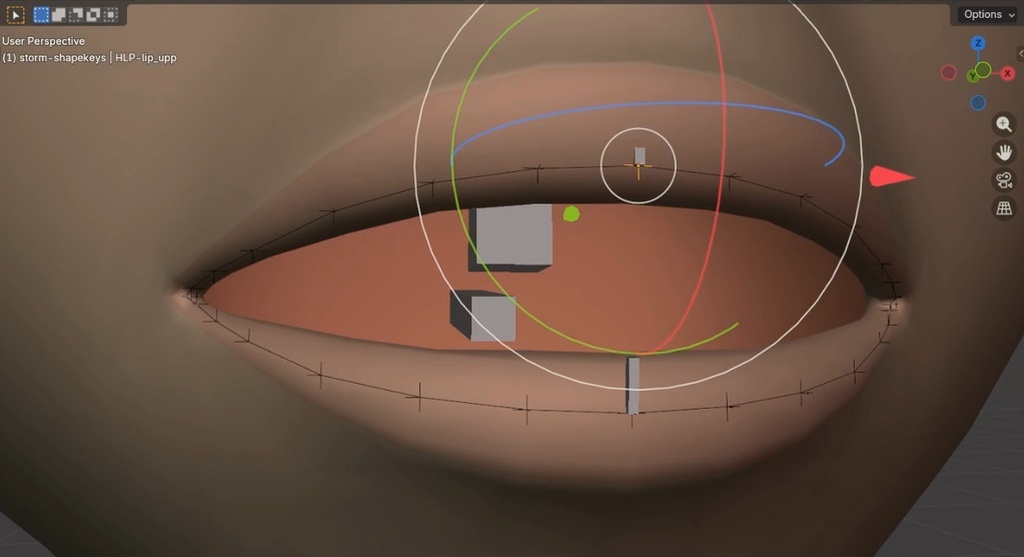
Manipulating lips deformation by creating a ribbon guide mesh
An animator's perspective
As Storm was the first facial rig I shipped, I learned a great deal during the creation of its initial version. While writing this course and dissecting Storm's facial rig, I updated some of the naming conventions and made small adjustments to the bones, among other improvements. This means the course reflects a slightly updated version of the facial rig setup compared to the original Storm release. The naming is cleaner, and certain aspects of the rig have been optimized. That said, there are no noticeable changes for the animator, just a cleaner overall setup.
If you are following the course, please let me know if anything is unclear by leaving a comment. We will read all comments and suggestions and update the course if necessary. I wish you the best of luck on your rigging journey, and I hope this course provides you with the tools and knowledge to create fantastic character rigs in Blender.
Join to leave a comment.