Estimating final render times using Blender VSE
- Article
- 2 February
- 2 min read

As Singularity approaces the final rendering stage, I asked a familiar question to Andy.
"How long will it take to render the whole film?"
Having this info is very useful, as it helps us to estimate the upcoming usage of our render farm, decide if we need additional computing power, how soon do we need to start sending final high-quality renders.
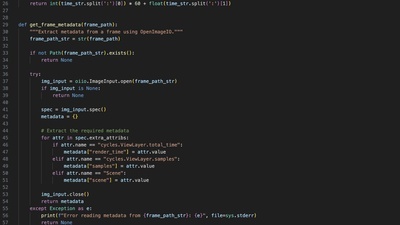
We had some epirical estimate, but to get a more precise answer, I wrote a simple Python script that takes all the VSE strips containing "final" frames (frames that are approved, but don't have enough samples), look up their rendering metadata, find the median render time, sample count and put them in a CSV file, along with some useful calculations.
You can download the script here.
How to use it:
- Make sure you follow the naming conventions of Blender Studio
- Specify which channel you want to process by setting the
CHANNEL_TO_PROCESSvariable. For now you type the channel numer, one day you 'll be able to type the actual label! - Press run and the files will be generated next to the edit
- Use the CSV to make some charts or additional calculations
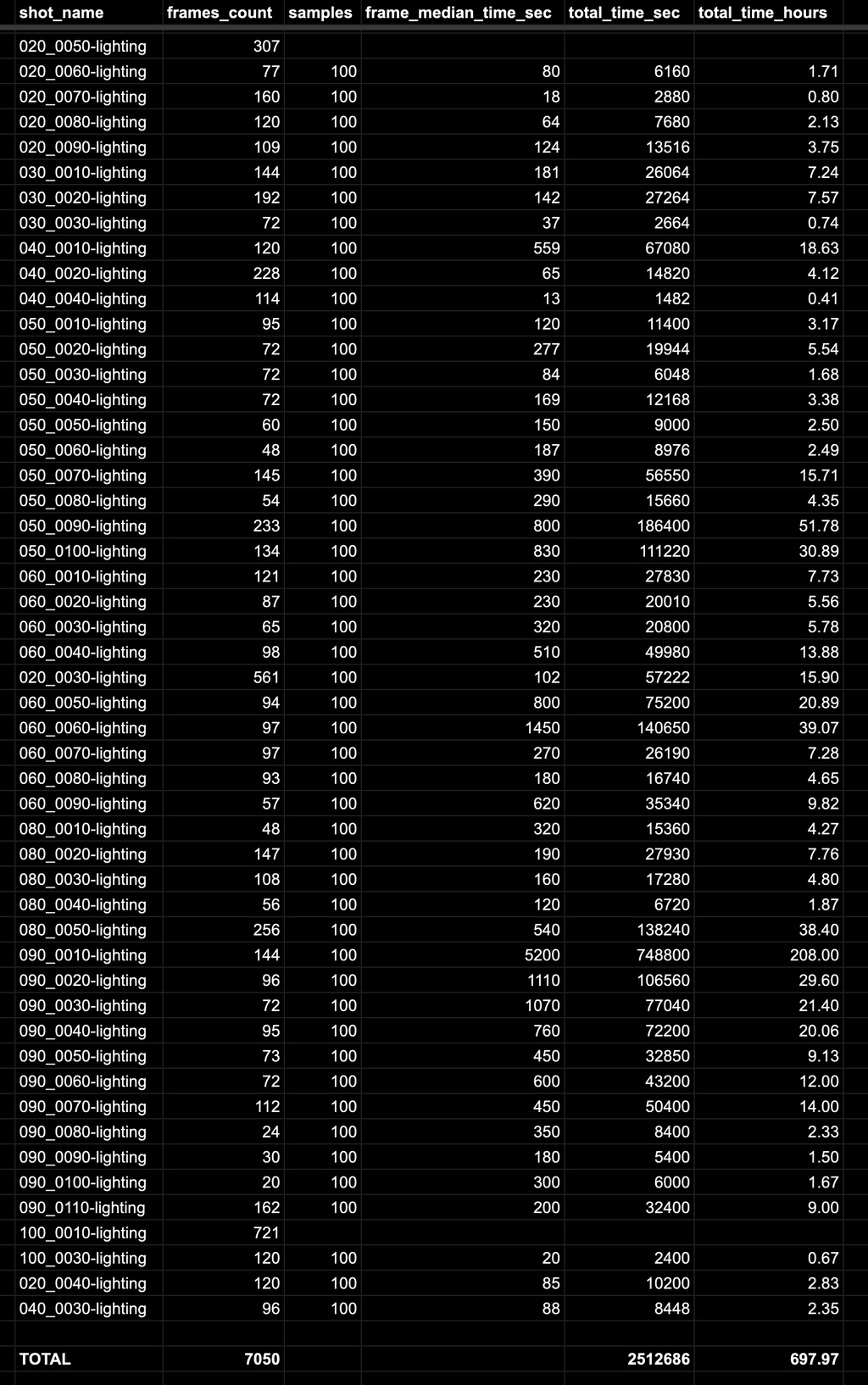
Note that the values in the CVS are approximate. For example, we use the median time of all frames in one shot. Also, to estimate the final render time, we multiply against the difference of current and final simples (100 samples in preview vs 1000 samples in final render means multiplying total_time_hours by 10.
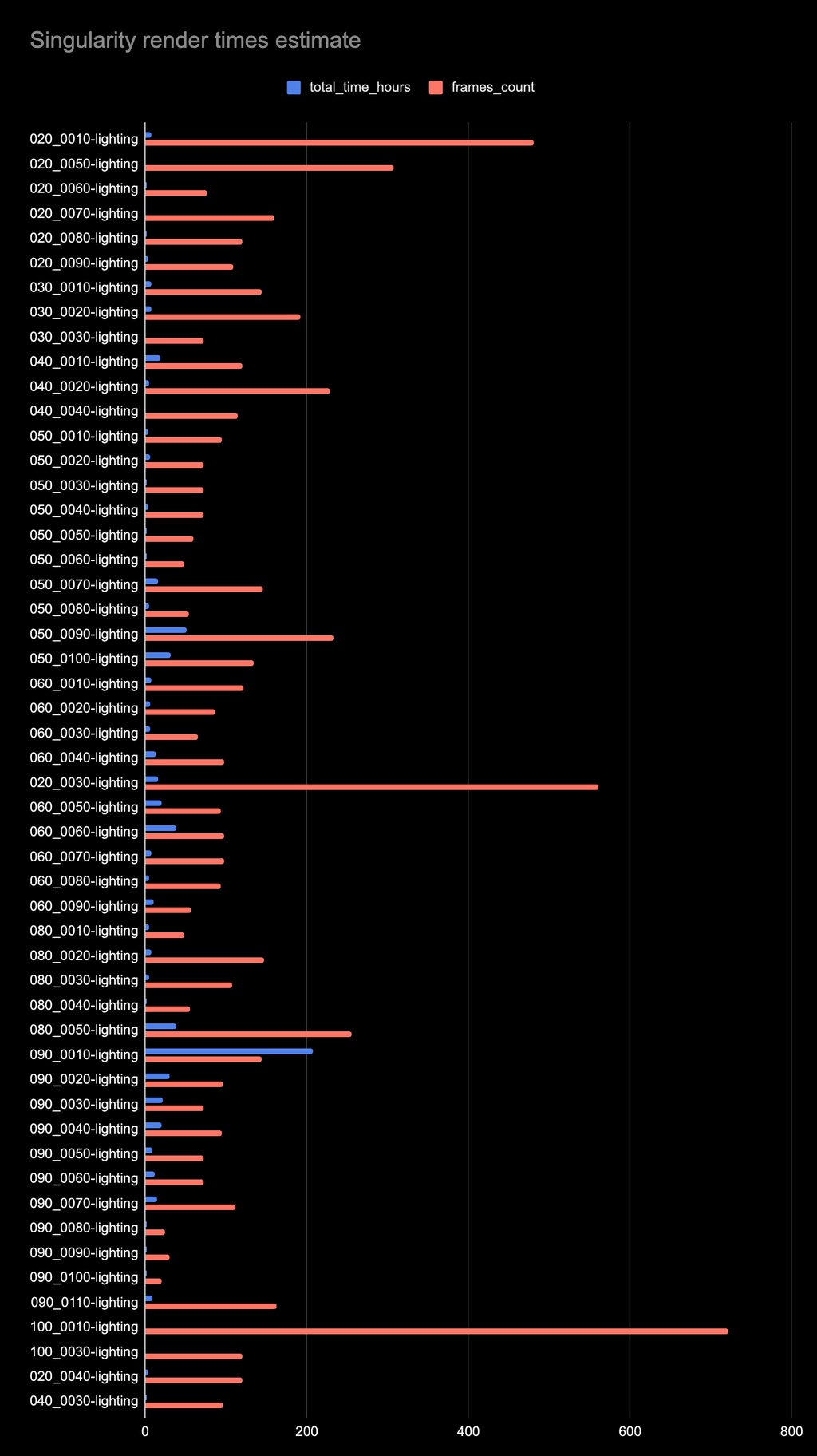
Generating a chart from the CSV can be useful to spot high-impact shots from a rendertime perspecive. In the example below we can see that 090_0010 stands out when it comes to the ratio between total_time_hours and frames_count.
The current estimate is that a preview of the film takes 700 hours to render. Final quality could take 7000. Which is around 1h per frame. Wish us luck!
Join to leave a comment.