OVERGROWN - Production Log #5
- Update
- 12 August
- 2 min read

Other Authors


With the final teaser reveal approaching, more elements of OVERGROWN are locking into their final shapes. This time, water was the main character, shining in the spotlight with fresh lighting treatment and effects.
Directing Light Directions
Andy Goralczyk:
The closeup of the fish was a bit of a tough nut to crack. We had to be able to read the fish under the water surface clearly, so it took me a bit to dial in the scattering, reflection and refraction properties of the water.
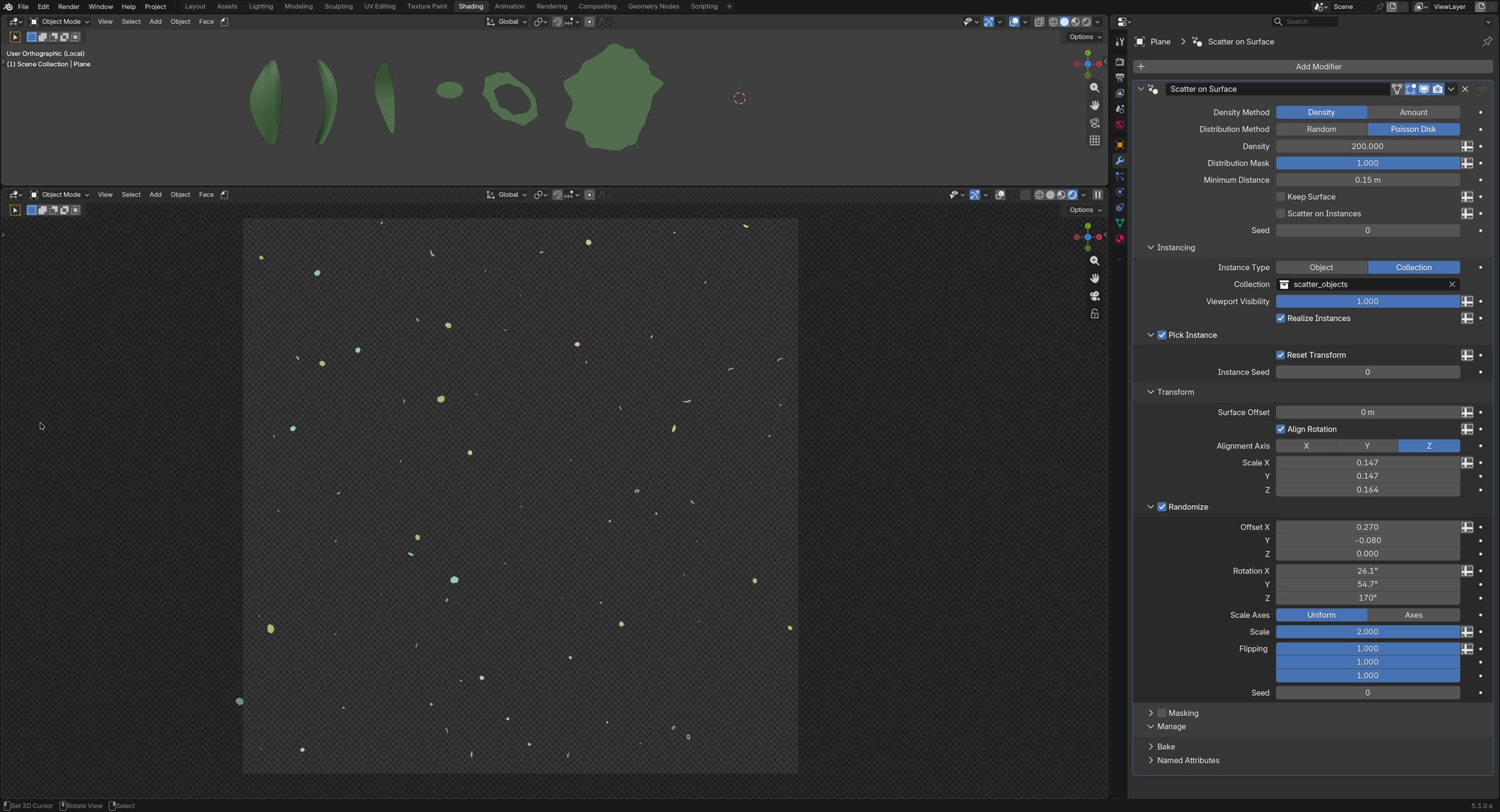
To add some more dimension, I wanted to add some floating particles on its surface. Using the new "Scatter on Surface" modifier this was super easy: I scattered a few leaves and stylized blobs on a plane and rendered out a tile-able texture that could be projected onto the water mesh. As finishing touches I animated the texture mapping properties to suggest a gentle flow.

The shot had some lily pads and dappled lighting to give the illusion of sunlight leaking through the tree canopies. The challenge was the light direction: While the dappled shadows worked great on the lily pads, they created annoying parallel streaks in the water volume. To bring them into a better alignment, I used light linking to completely separate the light direction above and under water. Light linking is awesome!
Dripping with FX
Simon Thommes:
We knew early on that we'd like to have some level of water FX as the characters are interacting with the water. For the teaser we could get away with some simple setups that I placed in the shots. One setup is a water splash, which could be drawn in as a single curve that would eject a plane of water geometry following a trajectory.

The other setup is for water dripping off of the fish. This one was a bit more tricky, since we have a shot where the fish is pulled out of the water. What I did here was to set up a custom particle simulation with Geometry Nodes to simulate the water. The idea was to use particles, accelerated by gravity and the movement of the fish, that would start attached to the surface and detach when they become too dense, as the water is collecting at the bottom of the surface.
This worked surprisingly well and gave a pretty naturally drippy result!
That’s it for now. Thank you for supporting OVERGROWN. We will be back next week with more updates on rendering and compositing.
Join to leave a comment.