The Story Process of 'Singularity'
- Article
- 20 Aug 2025
- 13 min read

We're currently at that magical threshold between pre-production and production, the moment when all the early experiments, scribbles, and what-ifs suddenly need to make room for the hard reality of production. I wanted to use this moment to reflect on the past half-year of story development for Singularity, what worked well and what didn't.
I’ll try to walk you through the different stages the story went through from late 2024 to now. At the end, I'm sharing some things I learned and tips that help make the transition from previs to production more manageable. Hopefully it gives you insight into how our short story took shape, and some ideas you can apply to your own projects.
Setting the stage
Before we look at each story iteration in detail, let's look at some key building blocks first. Creating a short film like this can be pretty daunting because there are literally endless possibilities! I found out that setting myself some limitations very early on is very helpful in keeping the scope predictable and focused.
Story Foundations
Singularity is basically a chase sequence with a strong emotional . I had a few mental models to keep this core in my mind at all times:
- "Animal stampede running away from a forest fire or avalanche"
- "By working together we can face overwhelming adversity"
- "We are all part of a great cycle of life"
It was very important that the stakes were always clear, with high tension and continuous forward motion.
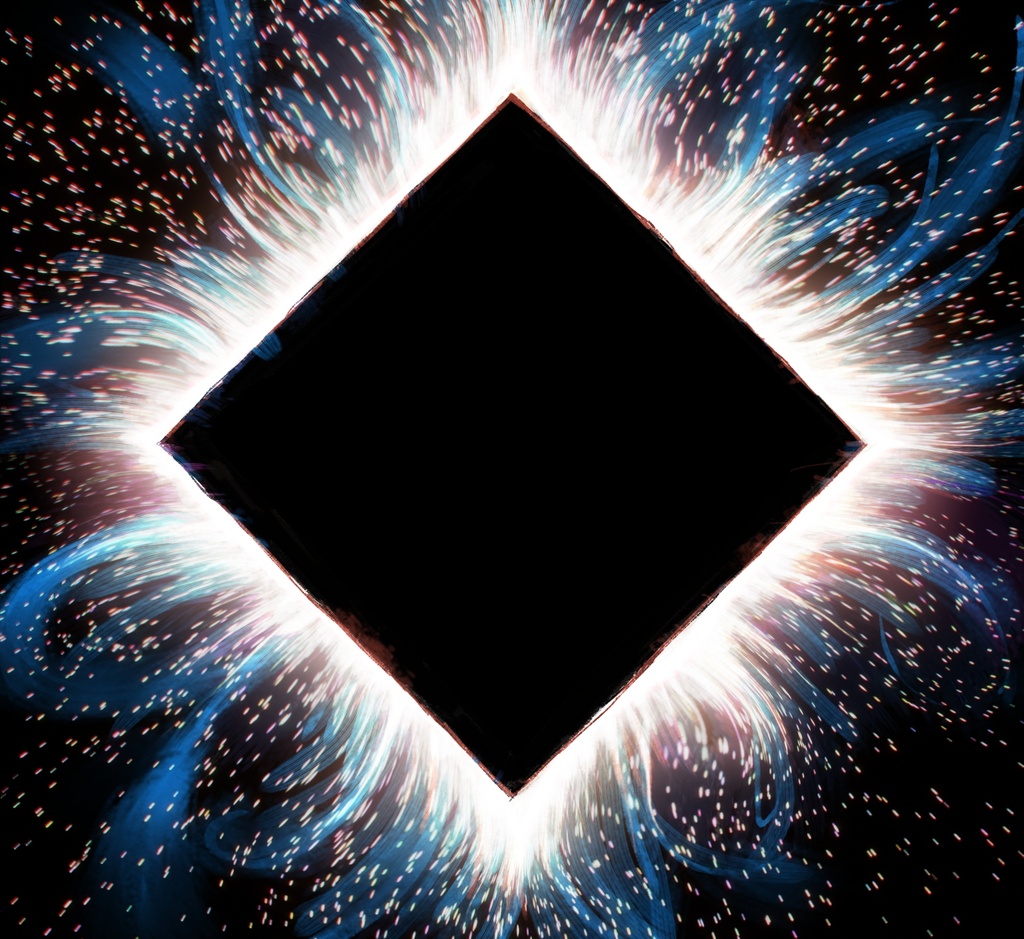
The movie very much channels my quite primal personal fears (Don't we all sometimes feel like we're chased by giant reality-swallowing squares?), yet it was important for me that it stays emotionally accessible and not overly somber. There should be enough room for people to derive their own meaning from, the last thing I wanted to do was burden everything with unnecessary symbolism.
No dialogue
As with Spring, there should be no spoken dialogue, making it universally understandable. Dialogue always adds another layer of complexity to any film: It has to be written well and be delivered naturally. Also, it can make rigging and animation more difficult and you need to worry about hiring voice talents, recording, subtitling, etc.
Curbing Complexity
Keeping the runtime short (under 10 minutes) was another measure to keep the production manageable. In past projects we were often hyper-conscious about staying under a certain time limit, often jumping through laborious hoops to cut seconds, even frames to stay under an arbitrary limit! I really wanted to avoid that in this film, since often the cutting measures were more time consuming than actually producing the material. Removing 6 frames from a shot hardly ever saves significant time in animation or rendering.
In my experience, the most important metrics to gauge a production's complexity are the number of:
- Characters to animate in shots (group shots are a time-sink!)
- Individual camera angles (you can definitely save time in lighting if there's a lot similar angles in a sequence)
- Set pieces
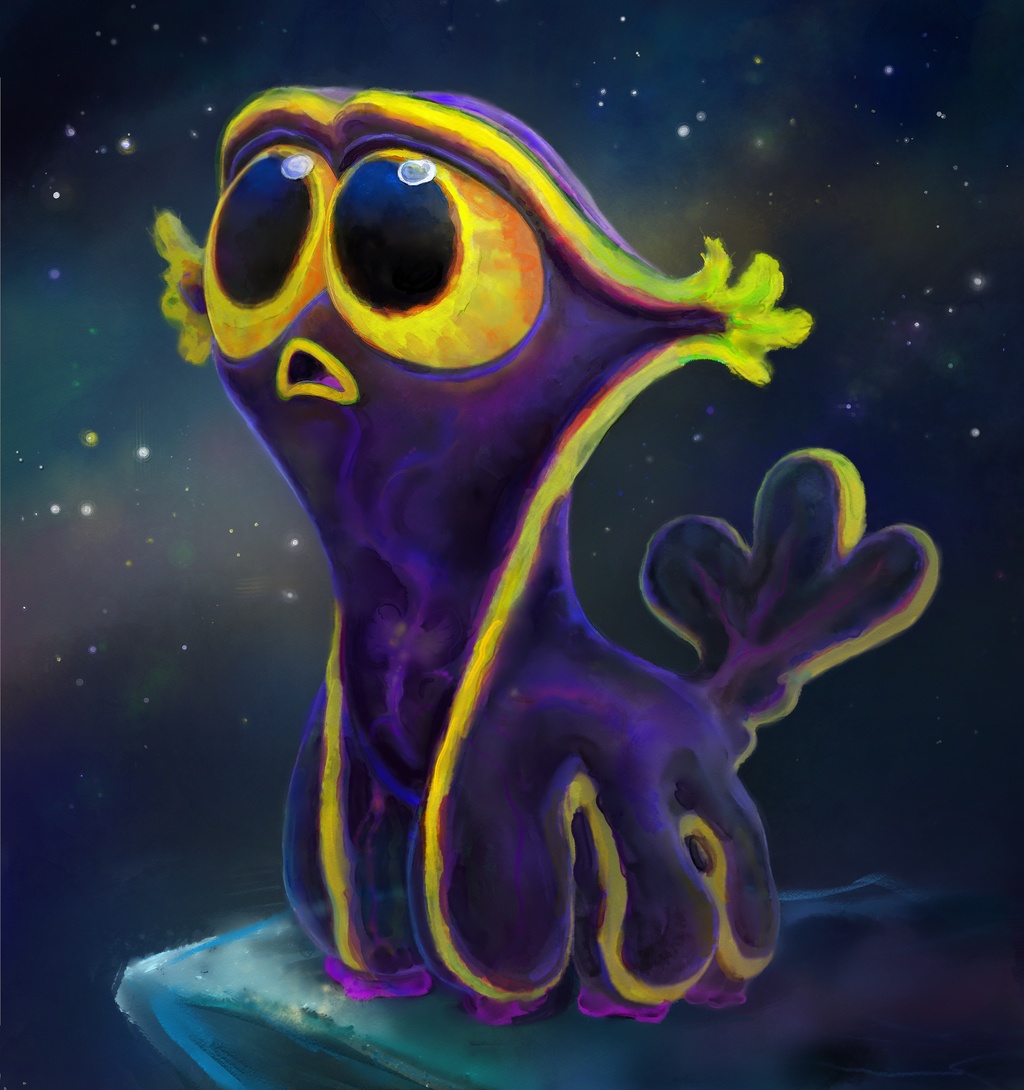
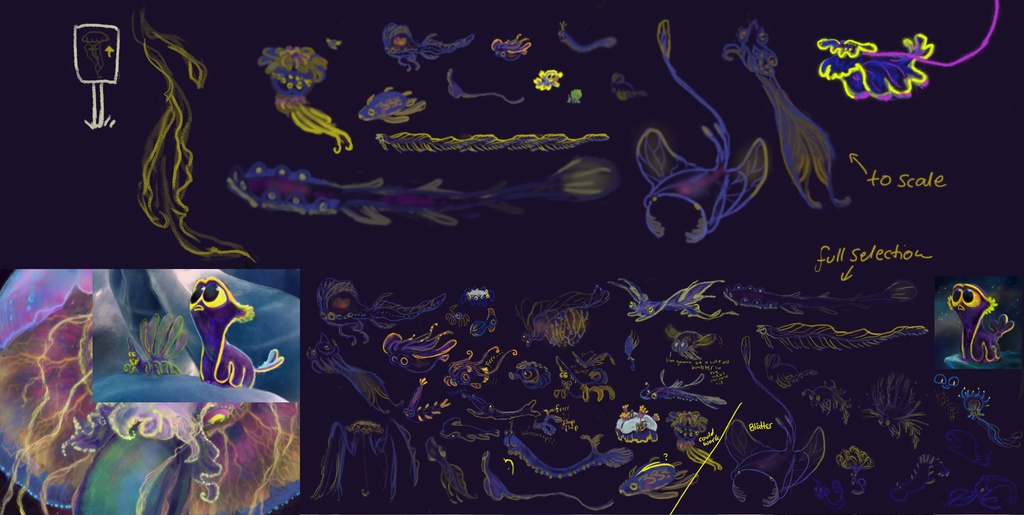
By controlling all the above factors, as well as keeping the run-time under a sensible limit, we can prevent the production from bloating too much. This would be challenged quite a bit, because the story calls for a thriving ecosystem of various space creatures!
Keeping musical timing in mind
Music and sound design play a central role in shaping the tone and pace of the film. I wanted to avoid using stock music or soundtracks from existing films. It's always a nightmare for sharing material online and it also locks you into an already existing timing.
So I worked together with Francesco Siddi to create a temporary score to establish timing and structure from the start. Francesco has been instrumental (pun intended!) in creating the themes and harmonies I could use to cobble together the temp score. I'm no trained musician (Francesco is!) so it definitely was a struggle and a challenge to create something coherent.
After some trial and error, I settled on the standard timing of 120 BPM, which makes it easy to divide into even time intervals. This should help syncing the animation and shot timing to the music a bit more straight forward in the early stages of finding the pacing. Throughout the early previs I tried to keep the temp score relatively up to date throughout production, evolving along with the story.
We're currently looking for a composer to write their own music from scratch directly to picture, so the timing will most definitely change! But having a consistent base to edit and create visuals to was a great help in the early stages of creating the animatic.
Story Iterations
Spoilers ahead! If you don't want any spoilers for the story, proceed with caution and head directly down to the "Key Takeaways" section at the end of this article.
The story of Singularity evolved significantly over the past year, through multiple formats and iterations, each with its own challenges and discoveries.
First Pitch Drawings
Back in December of 2024 we had several pitch meetings where everyone could present their ideas. For my pitch I prepared a few "storybook" drawings which - although not a complete storyboard - helped convey the general idea and mood while I was pitching the story.
The key story beats that had to be communicated were (in order):
- We're set in some form of fantasy cosmos
- Space is somehow inhabited by weird creatures
- The weird creatures use energy to fly around
- Our main character is not the most agile
- There is a mysterious giant space jellyfish
- The other creatures swim in the wake of the jellyfish (similar to whales and schools of fish) and use its energy.
- There is a danger in the form of an ominous Black Hole
- Our protagonist is too feeble to escape but gets swept up by the energy field of the jellyfish
- They all band together to escape the Black Hole
- Our protagonist finds out they need to work together to escape.
Ooof! Here you can watch me bumble my way through the story pitch:
You can check out the individual drawings here.
Having to pitch your story is daunting, but also helps you to streamline the communication process. After pitching a couple of times to different people, you quickly notice when your audience gets confused.
From that early pitch I got a lot of really helpful feedback, mainly about the predator creatures that stand in Critter's way. They made the story more convoluted and diverted attention from the main driving force: running away from the Black Hole. Removing the predators would also mean less characters to model and animate.
In addition to the pitch, I also created a few scribbles that were very similar to this one:
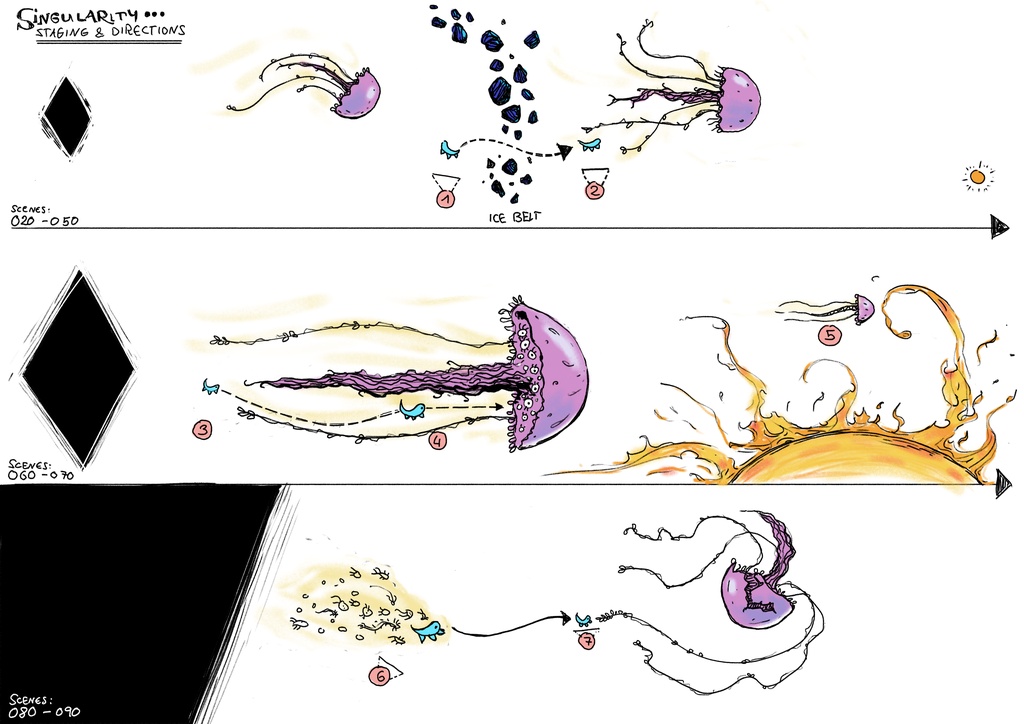
It was very important to keep the direction of movement - and with it the camera angles - consistent throughout the film: the Black Hole would always be on screen-left and Critter would try to escape towards screen-right. Of course the 180 degree rule is made to be broken, but a fast-paced action sequence is not the best place to do that.
Animatic from Grease Pencil drawings
To my great joy the project got green-lit! The next phase was to bring these loose drawings into Blender's Video Sequencer and actually figure out the timing of the whole thing and fix all the flaws in the story.
However, simply putting all the existing drawings in order would not cut it: there were not that many drawings to begin with, it would be too time-consuming to iterate over the story on this visually complex level:
To allow for faster iteration, I chose to work with Grease Pencil using the Story Pencil and the Story Tools Add-ons and started to do a full 2D drawing pass of the film.
In preparation for that, I typed out a simple screenplay where every shot was a single paragraph. I then wrote an add-on to turn every paragraph of this crude screenplay into a scene strip in the Video Sequencer (which can be used by StoryPencil to create a shot), based on the time it would take someone to read it out loud. This resulted in a rough structure I could base my initial timings on.
In addition to the screenplay, I scribbled out the entire story in thumbnail drawings which would help me switch things around fairly quickly before I would commit to spending more time with it.
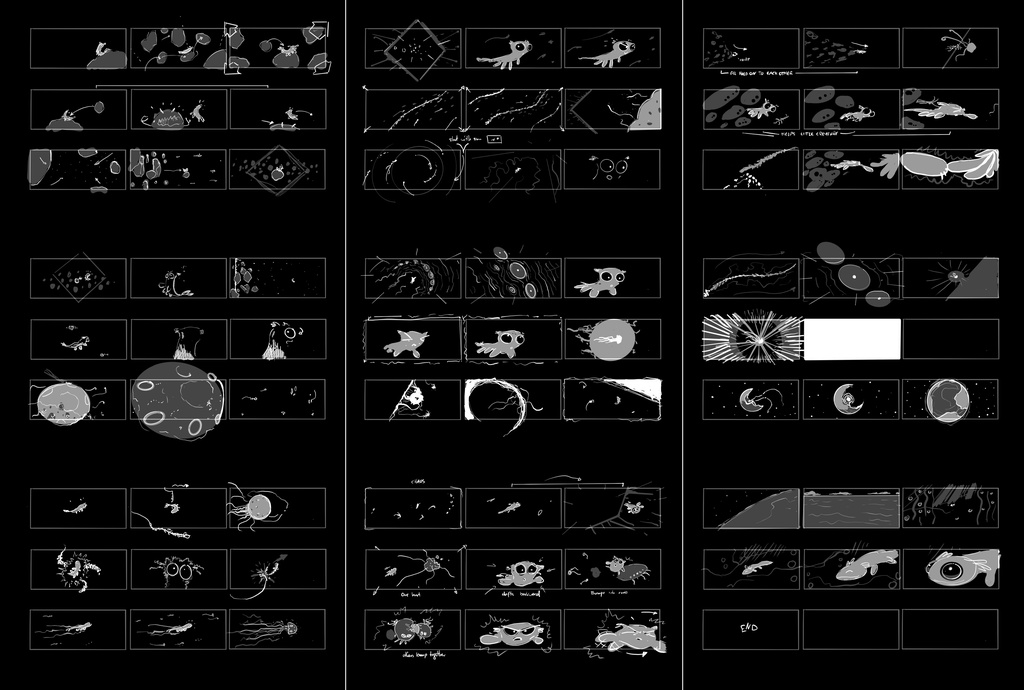
I was working on this edit for a while, mostly on Wednesdays and weekends while DOGWALK was under way. I managed to scribble out most of the film. The biggest limitation here was my own drawing ability and that the later part of the story called for a lot of spatial coherence between the various shots.
Seeing the short this way was already enough to get a better sense of its timing. Also I could already sense that the beginning of the film was too short to convey all the information I needed the audience to know before the action even starts.
There was also a story arc issue: although the story ends on a slightly positive note with the jellyfish transforming into a planet, we lost the connection with our main protagonist. A very early suggestion came from Dalai Felinto which was also seconded by the rest of the team: zoom in on the planet and bring back Critter in some 'evolved' form. This added a layer of warmth and emotional resolution that helped the overall arc feel more satisfying and complete.
3D previs
Because of the dynamic camera work and fast-paced action required by the story, I transitioned into 3D previs in order to experiment with shot staging, camera angles, and timing. Playing with scale, lighting, and environments in ways that wasn't possible in my crude 2D drawings.
Funnily enough, this also led to more experimentation.
For example, we would introduce the Black Hole in different ways, either as a mythological creation of celestial jellyfish beings:
Or just simply, by appearing without explanation:
What also became really apparent - once the overall structure and pacing was more fleshed out - was that Critter needs a slightly longer introduction to give us a hint of how his life looked like before chaos breaks loose. Based on suggestions from the team I also established the giant jellyfish before the Black Hole appears. This should give us more time to understand the staging and characters.
The moment when the giant jellyfish and our swarm of space creatures get blasted off-course also had some slightly weirder moments:
As you can imagine, introducing a new concept in the middle of a running narrative caused some raised eyebrows. So in the current version I opted for making it slightly less confusing: it's simply a sun getting sucked into a square black hole, no big deal!
After some more discussions, including one with Ton Roosendaal, I tried to introduce some visuals that could suggest that we are traveling into another reality with the energy of the exploding jellyfish:
Testing a "wormhole" effect to suggest we are traveling to another reality?
However, in our dailies this too was raising more questions. So I reworked the shot to suggest some kind of "Shattering" of the Singularity, the key information here is "crisis averted".
Key Takeaways
Step after step
How you visualize your story is entirely up to you. For me it made sense to approach it in this order:
- Write down what's in your head. Shot by shot.
- Turn the words into quick thumbnails. Experiment!
- Clean up the thumbnails so others can understand what's going on.
- Slap that storyboard into a timeline, animate things if necessary.
- Make quick models and sets, figure out the angles and framing.
- If necessary (and time permits it) jump back to 1. if things need to be changed drastically.
From previs to production
Here are some things that worked well when transitioning from previs to shot and asset production.
Cameras
Our productions make heavy use of camera rigs, which are Blender's own internal cameras, but rigged with armatures to give the animator more simplified controls. It's a huge time-saver to use these assets already in previs, especially when translating cameras from previs to production shots since the Actions can just be appended and assigned without major modifications.
Set Design and Construction
Having a good previs-camera-to-set workflow is vital, as I've explained before in this article. Try to build your temp sets as coherent as possible. Try to avoid heavy cheating in camera placement or scene layout. If previs matches the final set layout, you can more easily re-use animation from previs as reference. This speeds up layout and asset placement in production shots.
Create and maintain a live breakdown
It's important to visualize the key ingredients that are at your disposal, especially if you are on a tight deadline. Keep an up-to-date breakdown of the assets needed per shot. I often went as far as numbering and naming all my sequences early on to keep track of the film's structure.
That's all!
I hope sharing this breakdown gives you a better sense of how we approached story development, and maybe even helps with your own projects.
On the topic of previs, check out Hjalti's excellent article how he approached the previsualisation of Charge.
As we're approaching animation production, make sure to keep an eye on our production logs to follow our weekly progress. If you have questions or want to share your own workflow tips, I'd love to hear them!
Join to leave a comment.