Login to view this content
Join Blender Studio for just ¥90/month and get instant access to all of our training and film assets!
02. Texture Adjustments
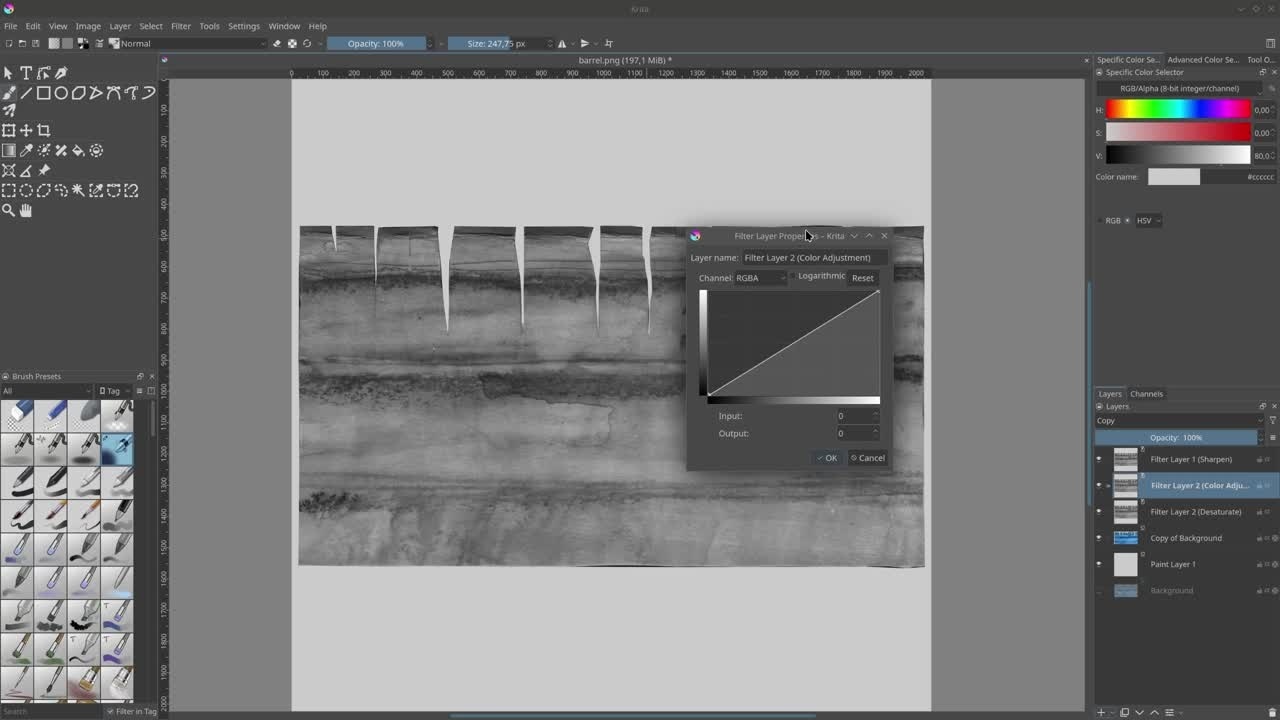
Creating Roughness

Krystal
Author
Steps:
- Create an empty layer and place it underneath the barrel layer.
- Fill the layer with a light-grey color using Shift + Backspace.
- Add a Filter Layer > Adjust > Desaturate above the barrel layer.
- Add another Filter Layer > Adjust > Curve Adjustment.
- With the "Curve Adjustment" selected, press F3 to open the filter layer and adjust the curve. The darker areas of the roughness map represent a shinier result, while white is more glossy.
- If you're happy, Export the image at the same location as the barrel_albedo file. Disable transparency since we don't have any.
Join to leave a comment.