Blender Studio
  • Films
  • Projects
  • Training
  • Assets
  • Blog
  • Community
  • Join
  • BLENDER.ORG

    • Download

      Get the latest Blender, older versions, or experimental builds.

    • What's New

      Stay up-to-date with the new features in the latest Blender releases.

    LEARNING & RESOURCES

    • Blender Studio

      Access production assets and knowledge from the open movies.

    • Manual

      Documentation on the usage and features in Blender.

    DEVELOPMENT

    • Developers Blog

      Latest development updates, by Blender developers.

    • Documentation

      Guidelines, release notes and development docs.

    • Benchmark

      A platform to collect and share results of the Blender Benchmark.

    • Blender Conference

      The yearly event that brings the community together.

    DONATE

    • Development Fund

      Support core development with a monthly contribution.

    • One-time Donations

      Perform a single donation with more payment options available.

Training Highlights
Facial Rigging
Blender Fundamentals 4.5 LTS
3D Printing with Blender
Video Log #6: Promo video

Training types
Course Documentation Production Lesson Worskhop

Training categories
Animation Geometry Nodes Lighting Rendering Rigging Shading
Film Highlights
Singularity
2025
Wing It!
2023
Spring
2019
Hero
2018
Project Highlights
Impulse Purchase
Showcase
Project Storm
Showcase
DogWalk
Showcase
Project Gold
Showcase
Assets Highlights
Characters
Models & rigs
Assets
All production files
Libraries
Curated sets
Course
Facial Rigging
Course Introduction
  1. 01

    Introduction

    Free
1. Model preparation
  1. 01

    Summary

  2. 02

    Separating objects

  3. 03

    Scale, symmetry and resolution

  4. 04

    Aligning to world orientation

  5. 05

    Modeling adjustments

  6. 06

    Managing the outliner

2. Initial bones
  1. 01

    Neck and head

  2. 02

    Jaw

  3. 03

    Mouth

  4. 04

    Extra bones

  5. 05

    Nose

3. Lips
  1. 01

    3 Curve principle

  2. 02

    Ribbon mesh

  3. 03

    Helper empties

  4. 04

    Stretch bones

  5. 05

    Deformation bones

  6. 06

    Constraints

  7. 07

    Local control bones

  8. 08

    Weight painting

  9. 09

    Lip zipper

4. Eyes
  1. 01

    Initial bones

  2. 02

    Eye highlights

  3. 03

    Iris and pupil

  4. 04

    Initial weight painting

  5. 05

    Eyelids ribbon mesh

  6. 06

    Eyelids deformation bones

  7. 07

    Eyelids local controls

  8. 08

    Eyelids weight painting

  9. 09

    Auto blink

  10. 10

    Eyelids follow

5. Brows
  1. 01

    Why shape keys

  2. 02

    Deformation and eye sockets

  3. 03

    Temporary geometry

  4. 04

    Creating x and z directions

  5. 05

    Creating Shape keys

  6. 06

    Applying shape keys

  7. 07

    Splitting weights

  8. 08

    Local controls

6. Cheeks
  1. 01

    Main shape keys

  2. 02

    Lattice deformers

  3. 03

    Splitting weights

7. Teeth and tongue
  1. 01

    Teeth

  2. 02

    Tongue

8. Mouthcorner shape keys
  1. 01

    Concept

  2. 02

    Initial shape keys

  3. 03

    Combination shape keys

  4. 04

    Mouth open corrective shape keys

  5. 05

    Mouth squash

9. Additional deformers
  1. 01

    Cheek puff

  2. 02

    Additional lattices

  3. 03

    Lip pucker

  4. 04

    Lip compress

  5. 05

    Nostril shape keys

10. Control widgets
  1. 01

    Widgets and override transforms

Course Introduction

Facial Rigging

Course Introduction

Report Problem

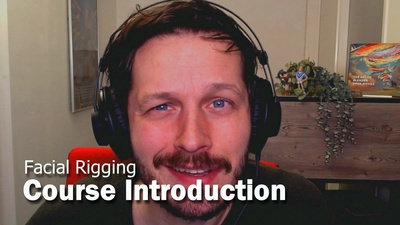
Welcome to the facial rigging course! Before we get started, here's a brief summary video about the different facets we're gonna build with blender. The course will be compatible with Blender 5.0 and up and will use a few (optional) addons that are freely accessible through the Blender Extensions platform. You can enable them in the user preferences under the 'Extensions' tab.

The following (optional) addons are gonna be used for this course:

Add Selected Bones to Vertex Group

Easy Weight

Pose Shape Keys

Cloudrig

The following python scripts will be used to speed up the workflow:

bone_mirror_subtargets.py
Blender File · 922 bytes · Krystal Institute bone_mirror_subtargets.py
Download File
shapekeys_automatic_driver_assignment.py
Blender File · 3.9 KB · Krystal Institute shapekeys_automatic_driver_assignment.py
Download File

Storm clean face blendfile:

storm-face_clean.model.blend
Blender File · 5.5 MB · Krystal Institute storm-face_clean.model.blend
Download File

Download the Geometry Nodes setup for linked shape keys:
GN-linked_shapekeys.blend
Blender File · 116.9 KB · Krystal Institute GN-linked_shapekeys.blend
Download File

Introduction
1:50

Introduction

  • Free
Films Projects Training Blog
Characters
  • Storm
  • Mikassa
  • Whale
  • Ballan Wrasse
Studio
  • Terms & Conditions
  • Privacy Policy
  • Contact
  • Remixing Music
  • blender.org
Blender Studio

The creators who share.

Artistic freedom starts with Blender powered by CG Global Entertainment Ltd.
粤ICP备2024327355号-3