Login to view this content
Join Blender Studio for just ¥90/month and get instant access to all of our training and film assets!
5. Brows
Splitting weights

Krystal
Author
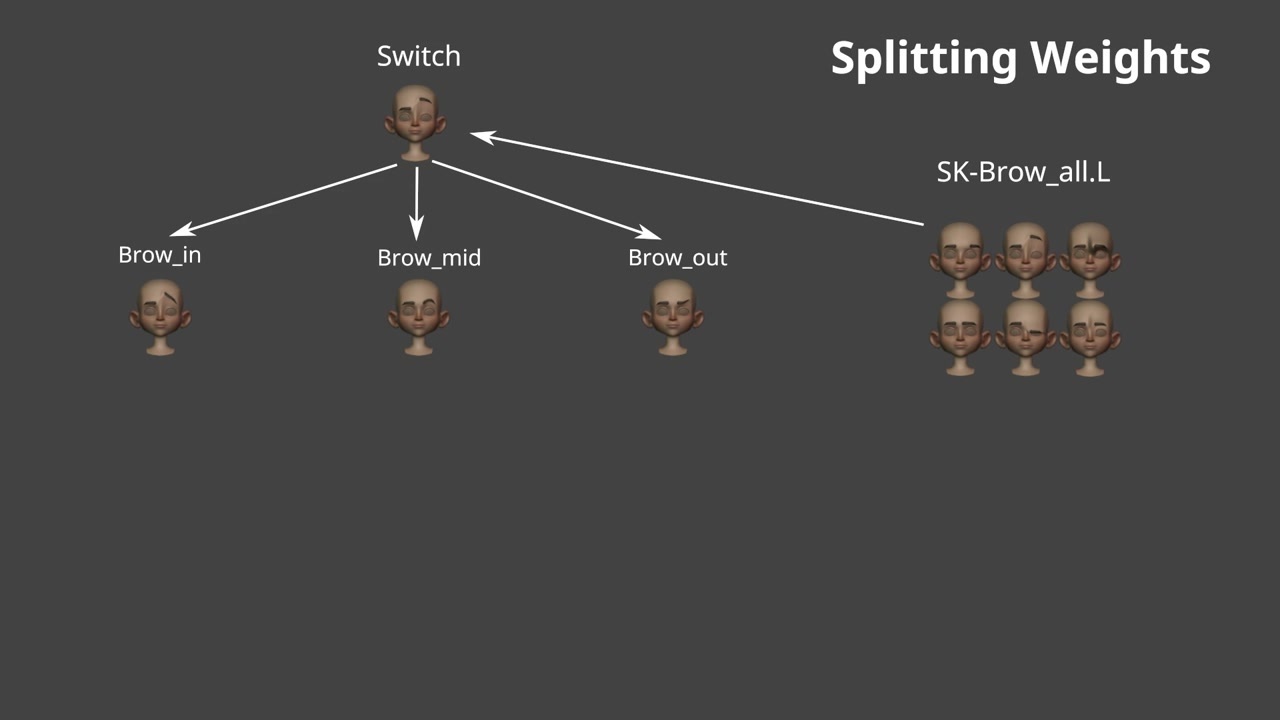
Now that we've succesfully assigned the main brow shape keys to the face mesh, it's time to use these main shapes and split them into smaller regions by using the 3 curve principle. For this we want to use a geometry nodes setup in order to create 'linked' shape keys.
Download the script mentioned in the video here:

For Splitting the weights, we're using a geometry nodes setup to emulate 'linked shapekeys'.
Download the Geometry Nodes setup here:
You can simply append this setup by going to the top left menu:
File > append > open 'GN-linked_shapekeys.blend' > NodeTree > linked_shapekeys
Join to leave a comment.